How to Connect ChatGPT with Your Apps Using Composio
· based on the channel DataEdu
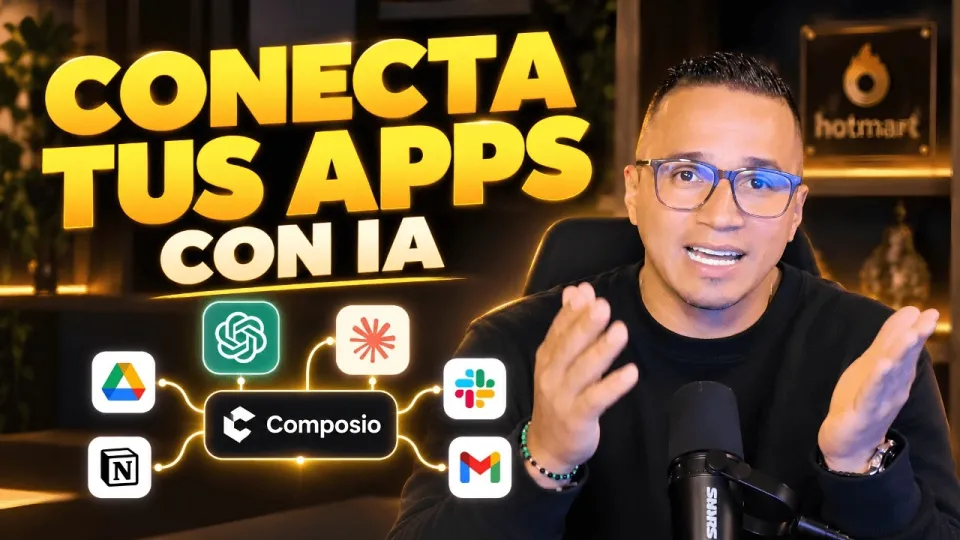
Video: Conecta ChatGPT, Claude y tus apps: así haces más con Composio
Connecting ChatGPT with your favorite applications is now straightforward with Composio, a platform that bridges AI assistants and the apps you use daily. Composio allows you to integrate ChatGPT, Claude, Manus IA, and other AI tools with applications such as Google Drive, enhancing productivity and automating workflows. For a detailed guide and additional resources, you can visit the Composio Storytelling Book.
What is Composio and How Does It Work with ChatGPT
Composio is an integration platform designed to connect AI assistants like ChatGPT and Claude with various applications. It provides two main types of connectors:
- Native Connectors: Pre-built integrations that offer seamless connection and predefined actions with supported apps.
- External Connectors: Custom or third-party connectors that expand compatibility beyond native options.
By using these connectors, Composio enables ChatGPT to perform tasks such as reading, writing, and managing files in apps like Google Drive, enhancing AI-assisted productivity.
Steps to Connect ChatGPT with Google Drive Using Composio
- Authorize Your Account: Start by linking your Google Drive account to Composio. This involves a secure authorization process where you grant specific permissions.
- Select Available Actions: Composio presents actions that ChatGPT can perform, such as uploading, downloading, or organizing files.
- Set Permissions Carefully: Since files might contain sensitive data, only grant the necessary permissions to minimize security risks.
- Test the Integration: Perform test actions to ensure ChatGPT can interact correctly with your Google Drive.
This process demonstrates how Composio facilitates safe and effective AI app integrations.
Expanding Integrations Beyond ChatGPT
Composio supports multiple AI assistants, including Claude and Manus IA. The platform's flexibility allows users to connect these assistants to supported apps, expanding automation capabilities across different AI ecosystems. Each assistant can leverage Composio connectors to access app functionalities tailored to their integration options.
Addressing Security Concerns When Connecting AI with Sensitive Data
A common concern is whether platforms like Composio can safely connect to services that contain sensitive information, such as Power BI semantic models or confidential Google Drive files. Best practices include:
- Granting minimal necessary permissions.
- Using trusted and encrypted authorization flows.
- Monitoring and auditing AI assistant activities.
Composio emphasizes secure authorization protocols to protect user data while enabling powerful AI-driven automation.
Practical Use Cases and Productivity Benefits
Integrating ChatGPT with your apps via Composio unlocks various productivity enhancements:
- Automating repetitive file management tasks.
- Enabling AI-assisted data extraction and analysis.
- Streamlining workflows by connecting disparate tools.
- Enhancing collaborative tasks with intelligent assistants.
Such integrations help users save time and reduce manual effort.
Useful Links
- Composio Storytelling Book with bonus materials
- Excel DataEdu for faster data analysis
- Advanced DAX learning resources
- DataEdu Instagram
- DataEdu LinkedIn
Conclusion
Composio is a powerful tool that connects ChatGPT and other AI assistants with popular applications like Google Drive, enabling automated workflows and enhanced productivity. By using native and external connectors, users can customize AI interactions while maintaining security through proper authorization and permissions. For anyone looking to extend AI capabilities across their apps, the DataEdu channel offers valuable tutorials and resources to get started. Don't forget to explore the Composio Storytelling Book for deeper insights and practical tips.
Key takeaways
- Composio connects AI assistants like ChatGPT and Claude with popular apps.
- Supports native and external connectors for flexible integration.
- Google Drive integration allows secure authorization and specific action permissions.
- Compatible with multiple AI tools including Manus IA for enhanced productivity.
- Enables automation and better AI-assisted workflows across applications.
Questions & answers
Is it safe to connect Composio to applications containing sensitive data like Power BI models?
While Composio supports secure authorization and permission management, it is important to grant only necessary access and monitor activities to protect sensitive data when integrating AI assistants with tools like Power BI.
What types of connectors does Composio use to link ChatGPT with apps?
Composio uses native connectors, which are pre-built integrations for supported apps, and external connectors, which allow custom or third-party app connections, enabling flexible AI integration options.
Can I use Composio to connect AI assistants other than ChatGPT?
Yes, Composio supports multiple AI assistants including Claude and Manus IA, allowing users to integrate various AI tools with compatible applications through the platform's connectors.
What permissions are required to connect ChatGPT with Google Drive via Composio?
Users need to authorize Composio to access Google Drive with specific permissions such as reading and writing files, but should limit these permissions to necessary actions to ensure data security.
Source: Conecta ChatGPT, Claude y tus apps: así haces más con Composio · Markdown version